

Connect your GPS watch
Connect your watch once and every GPS run it records arrives on your Activities page without an upload. OResults reads watches through intervals.icu, a free training log that Garmin, COROS, Polar, Suunto and Wahoo watches upload to. What happens to a run after it arrives is in Put your run in the Aftershow.
Before you begin
Section titled “Before you begin”- An account at intervals.icu. It is free, with no payment and no trial.
- Your watch uploading to intervals.icu: in intervals.icu, open Settings → Connections and tick Download activities on your watch’s card. Link the watch there directly, not through Strava. OResults cannot read runs that reached intervals.icu from Strava.
Connect intervals.icu
Section titled “Connect intervals.icu”- In OResults, open your account menu (the avatar at the top right; on a phone, Account in the menu) and choose GPS watch.
- On the intervals.icu card, select Connect intervals.icu. OResults sends you to intervals.icu.
- Approve access on the intervals.icu screen. OResults only reads your activities. If it says Connection cancelled or The authorization code was invalid or expired. Please start the connection again., select Back to GPS watch and connect again. If it says This intervals.icu athlete is already linked to another OResults account. Disconnect it there first, then try again., log in to that other OResults account and select Disconnect on its GPS watch page, then Confirm.
- Back on GPS watch, check that the card shows Connected and your intervals.icu athlete id.
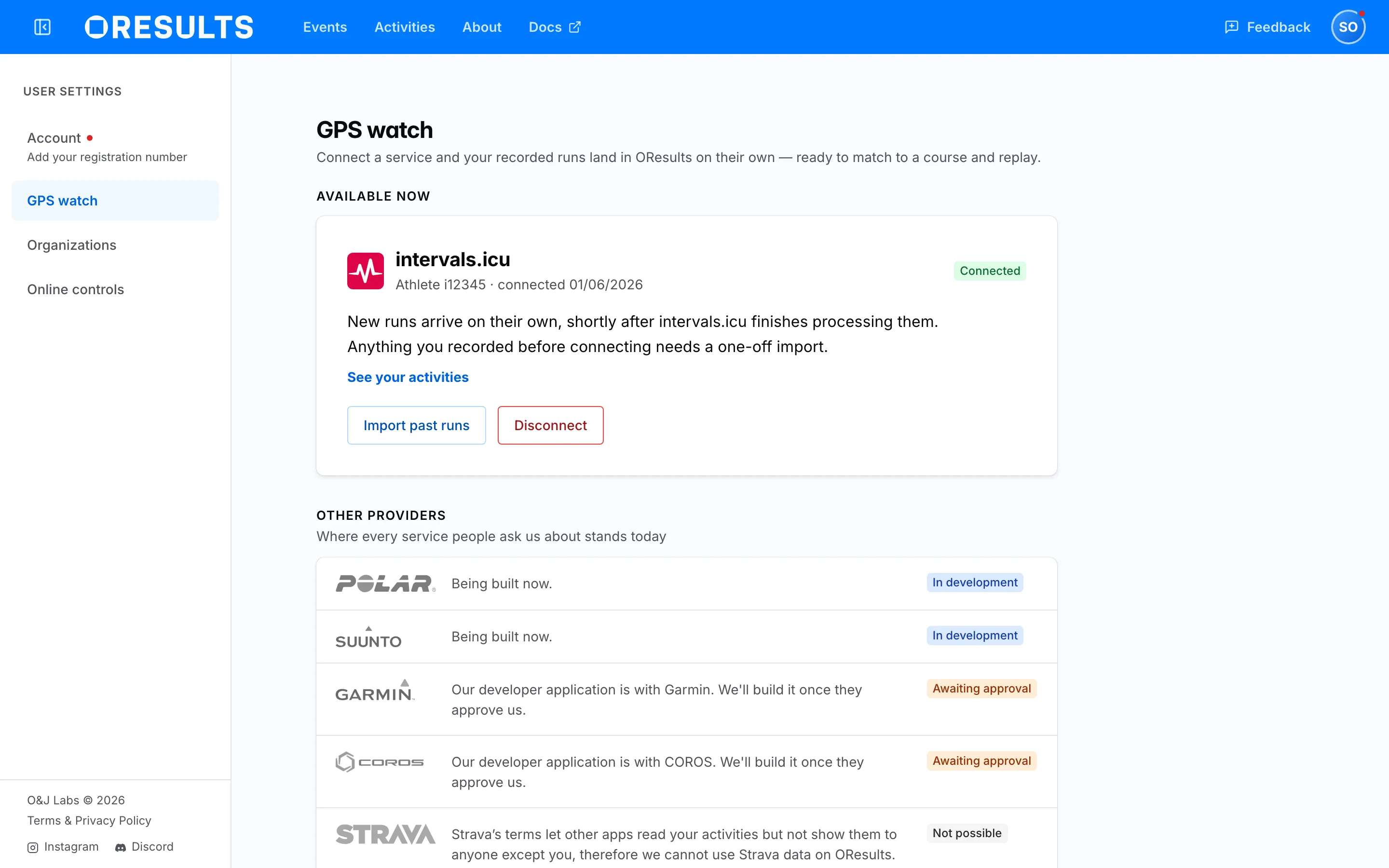
New runs arrive shortly after intervals.icu finishes processing them. Runs recorded before you connected need a one-off import.
Import past runs
Section titled “Import past runs”- On the intervals.icu card, select Import past runs.
- Pick the first day to import from. The picker opens one week back.
- Select Import. The message Import started says how many runs OResults queued. They appear on your Activities page one by one as OResults processes them. If it says No GPS activities found in that range., pick an earlier day, or check that your watch is linked in intervals.icu directly, not through Strava.
Troubleshooting
Section titled “Troubleshooting”Connect intervals.icu
Section titled “Connect intervals.icu”Needs reconnect: intervals.icu stopped accepting OResults’ access, so no new runs arrive. Your Activities page shows GPS watch needs reconnect for the same reason. Select Reconnect on the GPS watch card and approve again; runs already imported stay.
A run that reached intervals.icu from Strava never arrives: intervals.icu does not let other apps read runs it received from Strava. Link your watch in intervals.icu under Settings → Connections so later runs come from the watch directly. For a run already missed, upload its file from the watch as described in Upload a run on the Put your run in the Aftershow page.
A run without GPS never arrives: OResults skips a recording with no GPS track, such as a treadmill or indoor session. Record races with GPS on.
A new run has not arrived: OResults missed the notice from intervals.icu, or could not fetch the run. Run Import past runs from the day of that run; the import also retries runs that failed to come in earlier.
Import past runs
Section titled “Import past runs”intervals.icu connection is stale — reconnect first: intervals.icu no longer accepts OResults’ access. Close the dialog and reload the GPS watch page, select Reconnect on the card, then import again.
intervals.icu rate limit — retry later: intervals.icu is limiting how many requests OResults may make. Wait, then import again.
intervals.icu request failed: intervals.icu could not list your runs. Try the import again later.