

How OResults works
OResults publishes live results, split times from online controls and GPS replays of orienteering events.
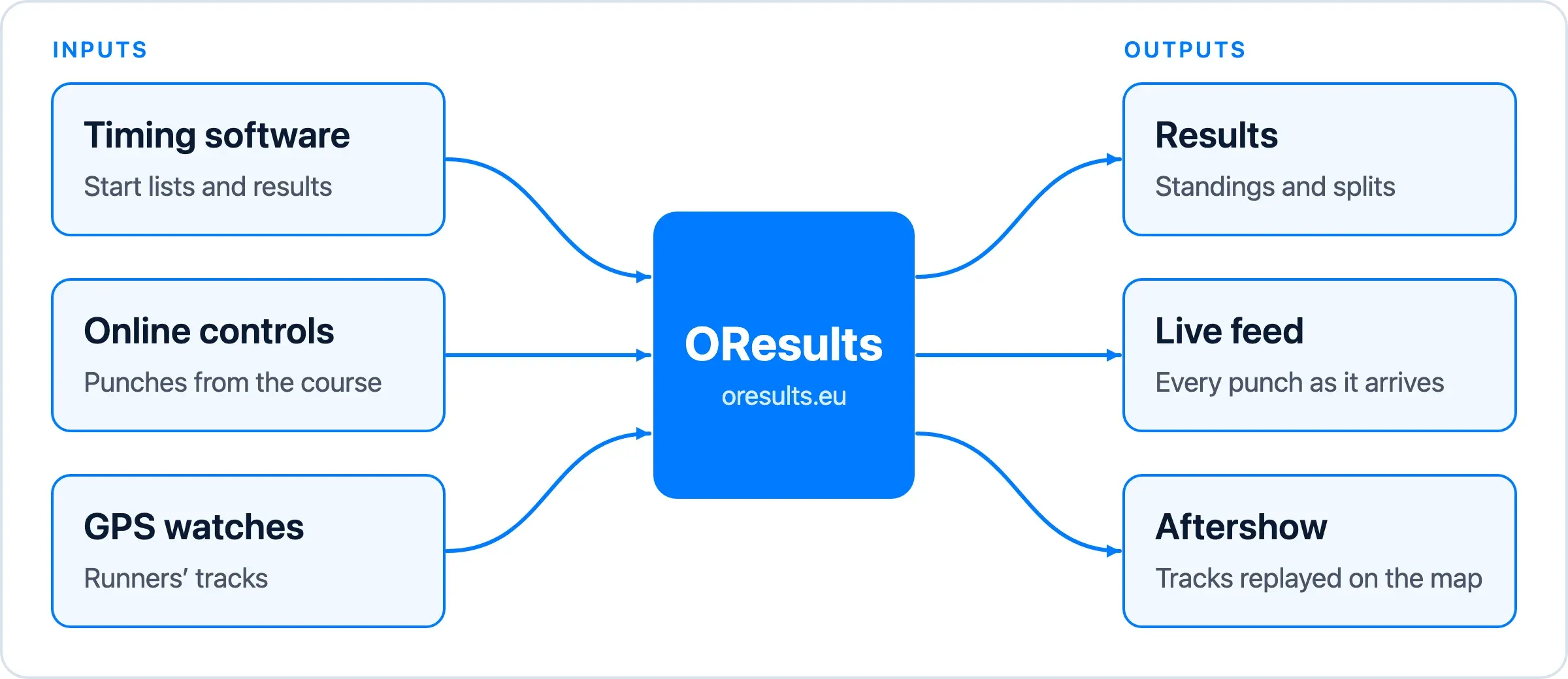
OResults takes three inputs from an orienteering event: start lists and results from the organizer’s timing software, punches from online controls on the course, and GPS tracks from runners’ watches. It publishes them on the event’s Results, Live feed and Aftershow pages. An event needs only the timing software’s data to have results online; online controls add live splits, and GPS tracks add the Aftershow.
Results from your timing software
Section titled “Results from your timing software”OResults publishes the start list and results from the organizer’s own timing software, which keeps running the event. Software with an integration, or the OResults Connector watching an export folder, sends them during the race with the event’s API key. Without one, the organizer uploads the exported files on the event’s File upload page. Each new version appears on Results as it arrives. See Upload start lists and results.
Live punches from online controls
Section titled “Live punches from online controls”An online control is a control with a device that forwards each punch from its SI station to OResults. The punch reaches a Bluebox over SPORTident’s short-range radio (SRR), from an SRR station or directly from a SIAC card, and the Bluebox sends it on. An Android phone running Bluebox Mobile with a SPORTident SRR dongle does the same job. Within seconds, the punch fills the runner’s split on Results and appears on the Live feed.
The organizer picks which controls are online, rents Blueboxes or brings their own devices, and links the devices to the event. See Get Blueboxes, Set up online controls and Use a phone as an online control.
GPS tracks from runners
Section titled “GPS tracks from runners”A runner connects their GPS watch once, through a free intervals.icu account that the watch uploads to. Each run then arrives on its own. Without a connected watch, the runner uploads a GPX or FIT file on their Activities page. OResults connects each run to the matching event and class, and to the runner’s entry when the split times identify it; when it cannot decide, the runner connects it by hand. See Connect your GPS watch and Put your run in the Aftershow.
The connected tracks appear in the event’s Aftershow once the organizer publishes it, replayed over the map and courses the organizer uploaded. See Upload maps and courses and Publish the Aftershow.
What it costs
Section titled “What it costs”Creating an event, uploading start lists, results, maps and courses, and publishing Results, Live feed and Aftershow are free. An event without online controls pays nothing, and nothing a runner does carries a fee.
Online controls carry a fee in one of two ways:
- Your own online controls, such as Bluebox Mobile phones, carry a fee per online control, paid on the event’s Billing page. An event with no entry fees, or one that rents Blueboxes, pays nothing for them. Pay for your event says when you owe it.
- Rented Blueboxes are priced per event in the table on the Online controls page at oresults.eu. See Get Blueboxes.